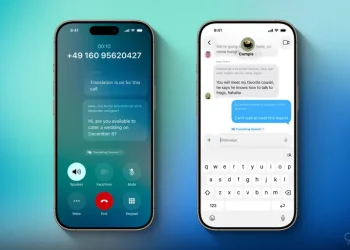
If you’re tempted to try the latest iOS update early, you may want to skip iOS 26 public beta—especially if you rely on your iPhone every day. While Apple’s public beta gives users a chance to explore exciting features like the new Liquid Glass design and ChatGPT integration, it also comes with considerable downsides.
After testing iOS 26 since the first developer beta, I’ve encountered enough bugs and limitations to advise most users to hold off. Below are six solid reasons why the iOS 26 public beta might not be worth the risk—for now.
1. Unstable Performance on Primary Devices
The number one reason to skip iOS 26 public beta is simple: it’s not fully stable. As with any beta version, there are inconsistent performance issues, including:
- App crashes
- UI lags and stutters
- Occasional system reboots
If your iPhone is your main communication, productivity, or work device, this version may disrupt your daily routine in ways that outweigh the benefits of early access.
2. Battery Life Is Inconsistent
Battery optimization is still a work in progress in the iOS 26 public beta. Many users report:
- Faster battery drain
- Overheating during normal use
- Decreased screen-on time
While improvements have been made since Beta 1, battery issues remain one of the top complaints—and may persist until the final release.
3. App Compatibility Problems
Popular apps like banking tools, ride-share services, and even social media platforms may not work properly on the beta. Developers often delay updates for beta support until closer to the official iOS release.
Some apps may:
- Refuse to launch
- Crash unexpectedly
- Misbehave with system-level features
Unless you’re prepared to lose access to critical apps, it’s wise to wait.
4. Bugs in New Features
The standout features in iOS 26—such as the Liquid Glass UI, Continuity upgrades, and built-in ChatGPT features—are still rough around the edges. For example:
- ChatGPT integration may misfire or freeze
- Handoff between iPhone and Mac (macOS Tahoe 26) can be unreliable
- WatchOS 26 syncing features don’t always activate as expected
Trying these features before they’re ready may sour your first experience with what will eventually be polished additions.
5. Risk of Data Loss
While rare, installing beta software can result in data corruption or loss. If you’re not backing up your device via iCloud or Finder, a rollback can mean losing:
- Messages and call history
- App data
- Photos and videos
You’ll also need to erase your device completely if you decide to downgrade to a stable version.
6. The Final Release Is Close
Apple is expected to officially launch iOS 26 in September 2025, alongside the iPhone 17. That’s just a few weeks away—meaning the safest, most optimized version is nearly here.
Unless you’re a developer or tech reviewer, it’s worth waiting just a bit longer. You’ll get:
- A more polished experience
- Full app compatibility
- Improved stability and battery life
And you won’t be stuck dealing with beta headaches.
Is the Beta Worth It?
While it’s exciting to test new features ahead of time, there are many strong reasons to skip iOS 26 public beta if you’re not prepared for the potential trade-offs. Performance, battery, bugs, and compatibility all make it a risky move for the average user.
Apple’s final version will deliver all the new features—without the instability. For now, patience might be your best tool.